From our archive. Details reflect the date of publication.
In an article published late last year, I described an undocumented CopilotStudio designer element called Foreach, which is designed to loop through all records in a table object. This element can be used in custom topics to iterate over structured data and get some cool results.
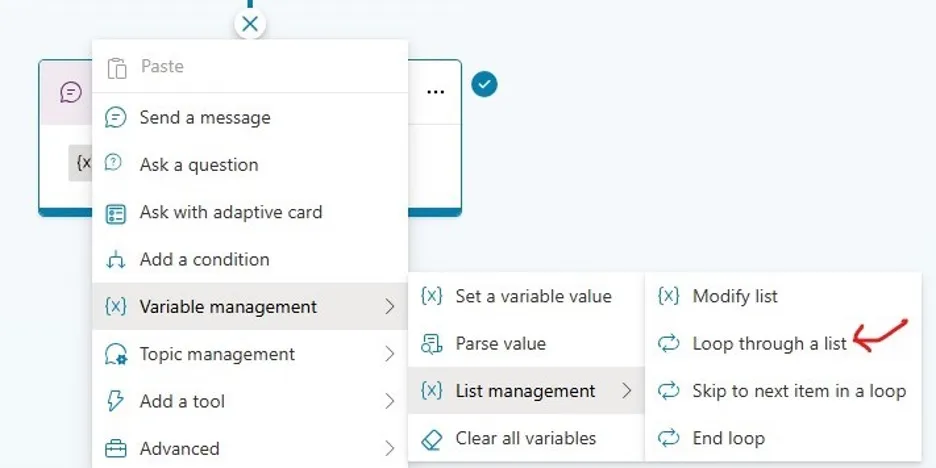
Fast forward to eight months later, I just noticed it is officially added to CopilotStudio’s designer. You can find it under Variable Management -> ListManagement:
Once you add it, the UI looks exactly like late last year’s:
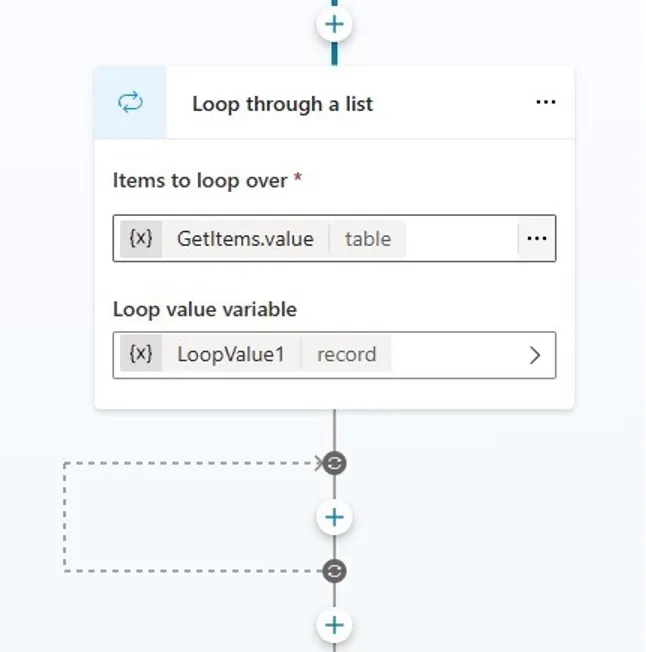
In above case I set it up to loop through all records in a table value called GetItems.value, which is returned from a Copilot Studio tool (used to be called action) to get items from a SharePoint list. The foreach loop variable is called LoopValue1, its type is record.
Other cool elements available are "continue" and "break" in a loop:
- Skip to next item in a loop: Like
"continue"in most programming languages, this skips the current loop iteration and starts the next. - End loop: Stops the loop and proceeds to the following element. Below is an example of using
"Skip to next item":
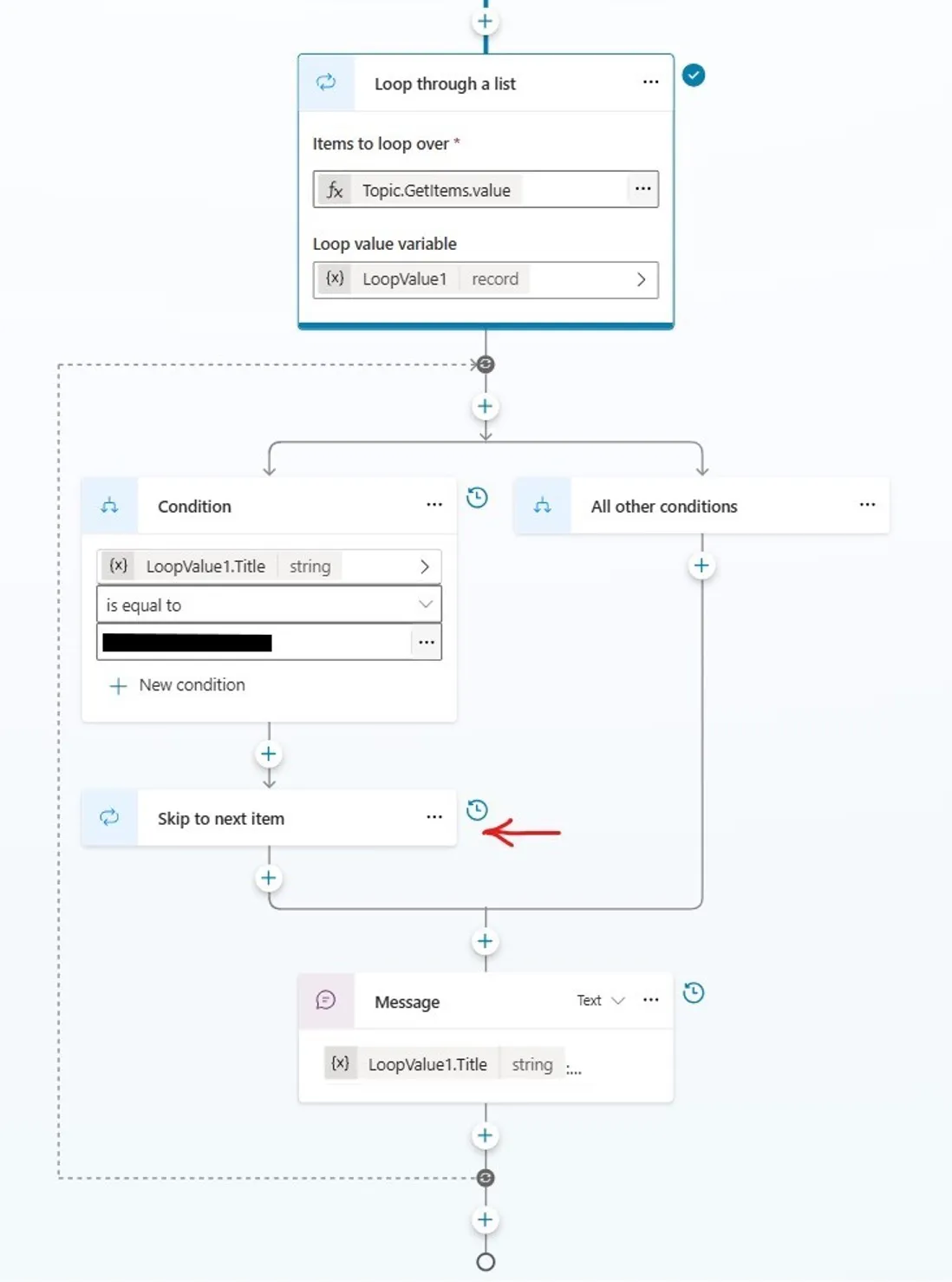
Here is a code-behind example:
1      id: foreach_1BGYSa
2      items: =Topic.GetItems.value
3      value: init:Topic.LoopValue1
4      index: init:Topic.LoopIndex1
5      actions:
6        - kind: ConditionGroup
7          id: conditionGroup_KEjf8H
8          conditions:
9            - id: conditionItem_bmvAr1
10              condition: =Topic.LoopValue1.Title = "************"
11              actions:
12                - kind: ContinueLoop
13                  id: g7a2fq
14
15        - kind: SendActivity
16          id: sendActivity_Ig349K
17          activity:
18            text:
19              - "{Topic.LoopValue1.Title}: {Topic.LoopValue1.Description}"
20            speak:
21              - "{Topic.LoopValue1.Title}"
I am very glad this very useful designer element is officially added to Copilot Studio. Meanwhile, I have found another “minor” undocumented feature which I will blog about in near future.