From our archive. Details reflect the date of publication.
In Copilot Studio you can ask questions and provide options for user to choose.
The simplest example is a question with Yes and No for answer options. Like below:
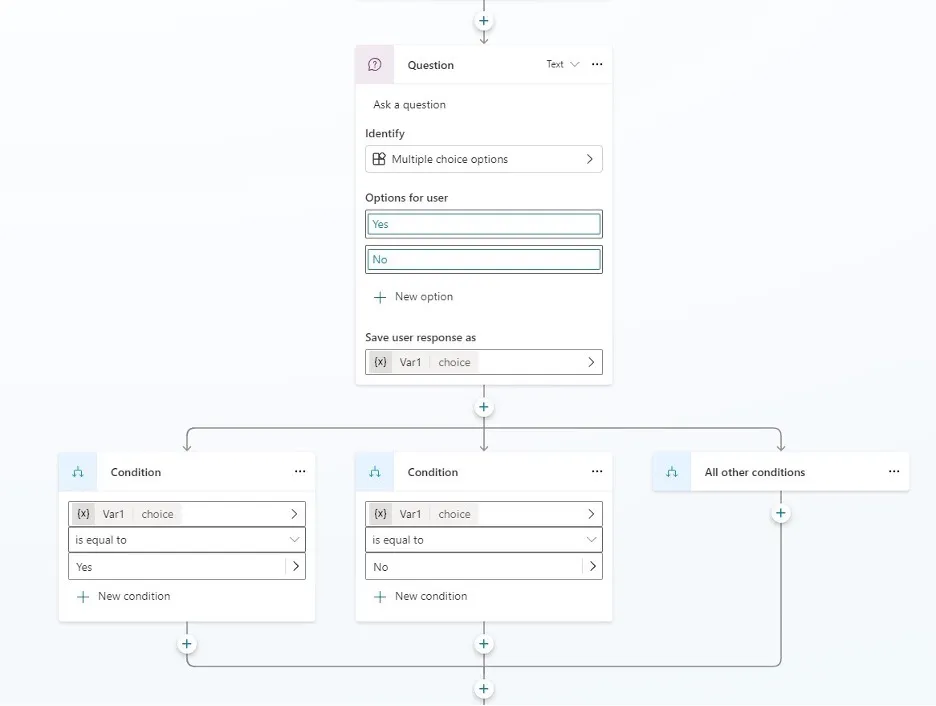
The options are hardcoded into the action and users will see them as buttons in the chat. You use a Condition action to react according to user’s answer to the question.
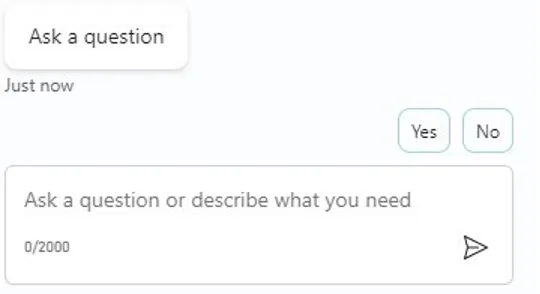
Sometimes when we are dealing with more complex choices there is a need to make the options dynamic. Fortunately, there is a way for it: you can use a table variable to carry the options, and the Question action can list all of the records in it as options for users to choose.
Let’s set up a table variable to implement this scenario:
- Add an action to set up the value for the variable
- Copilot Studio will determine the variable’s type based on the value you assign to it. In our case let’s call the new variable “
table1” and make its value: “[{Name:"Option1"},{Name:"Option2"},{Name:"Option3"}]“in Formula section.
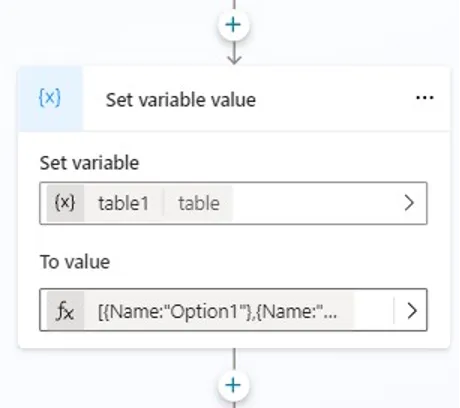
- The table has 3 records, each one has a field called “
Name” and a value “Option x”, which x goes from 1 to 3. We are supposed to see a dialog with 3 option to choose from:
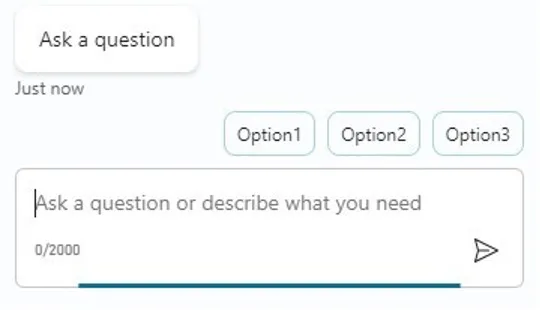
Now we can bind this table to a Question action:
- Add an action to ask a question
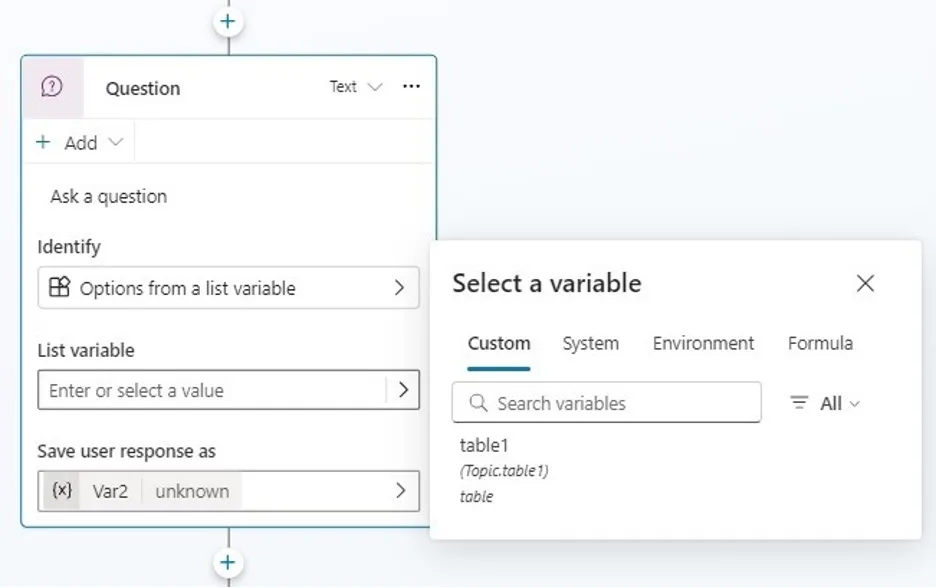
- Click its Identity and chose “Options from a list variable” and select “
table1” (the table variable we just created)
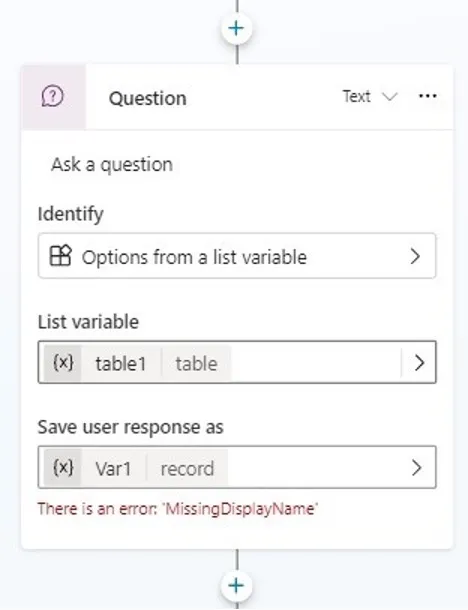
What do you see? An error!
Yes, it was an error that took me a couple of hours to figure out. I’ll show you how to resolve it: The Question action in Copilot Studio looks for a field named “DisplayName” in each record and uses it as the options presented to users when using a table variable. Unfortunately, there’s no way to tell Copilot Studio to use a different field, regardless of how many fields your records contain. Therefore, you MUST include a field specifically named “DisplayName” in your table.
To solve this issue, we just need to change our table’s value to: “[{DisplayName:"Option1"},{DisplayName:"Option2"},{DisplayName:"Option3"}]“in the Set Variable action.
After the change and complete the conditions for the options, the Question action should work as expected!
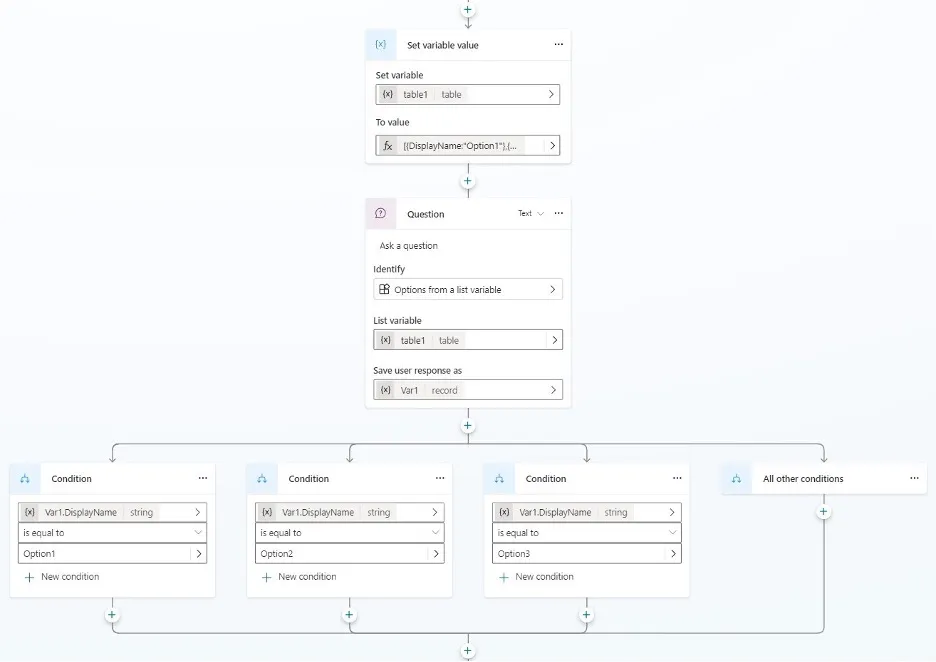
Simple but not what I used to as a pro-code developer.
Here is the full YAML code-behind:
1 - kind: SetVariable
2      id: setVariable_OIj99F
3      variable: Topic.table1
4      value: =[{DisplayName:"Option1"},{DisplayName:"Option2"},{DisplayName:"Option3"}]
5
6    - kind: Question
7      id: question_COuBOV
8      interruptionPolicy:
9        allowInterruption: true
10
11      variable: init:Topic.Var1
12      prompt: Ask a question
13      entity:
14        kind: DynamicClosedListEntity
15        items: =Topic.table1
16
17    - kind: ConditionGroup
18      id: conditionGroup_Qb83vd
19      conditions:
20        - id: conditionItem_IVL8wG
21          condition: =Topic.Var1.DisplayName = "Option1"
22
23        - id: conditionItem_r4WFun
24          condition: =Topic.Var1.DisplayName = "Option2"
25
26        - id: conditionItem_HiDUZx
27          condition: =Topic.Var1.DisplayName = "Option3"
28