From our archive. Details reflect the date of publication.
…continued from last article Use Copilot Studio Topics to Guide Users to Your Agents
Once our 007 agent is done testing, it is time to make it available to end users.
You have a few options for publishing an agent. For a “regular” agent, all the options can be found under your agent’s Channels tab.
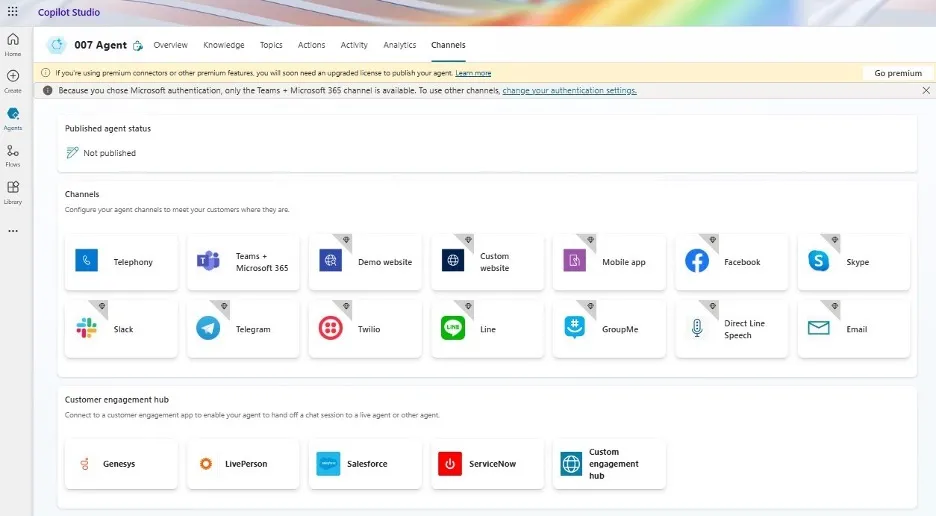
You may have noticed that there is a warning message on the screen telling us that the only available option for our 007 agent is “Teams +Microsoft 365” channel. This is because our knowledge source is using SharePoint Online, which requires Microsoft 365 authentication. If we switch to, let’s say, a public web site or dataverse we will have more options available to us.
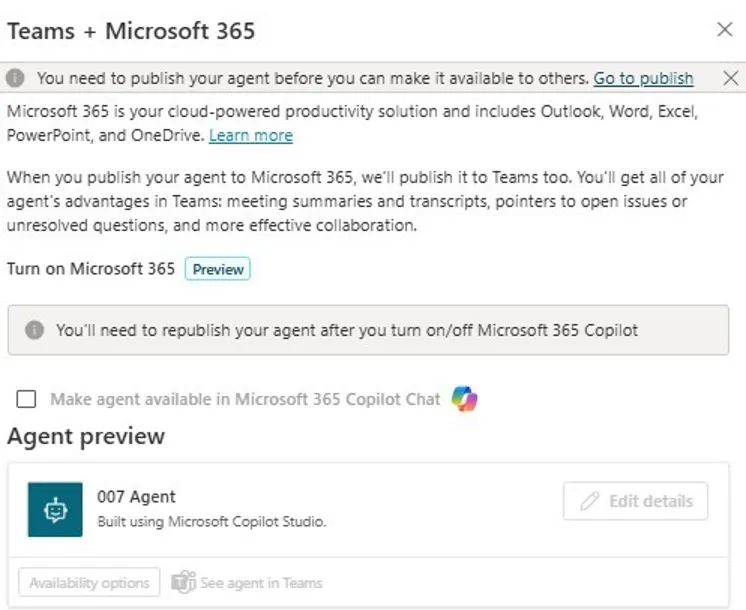
Choose the “Teams + Microsoft 365” channel, you will see a pop-up dialog like below. Choose if you want to make it available in your Microsoft 365 Chat and you can fine-tune the agent’s information for Teams.
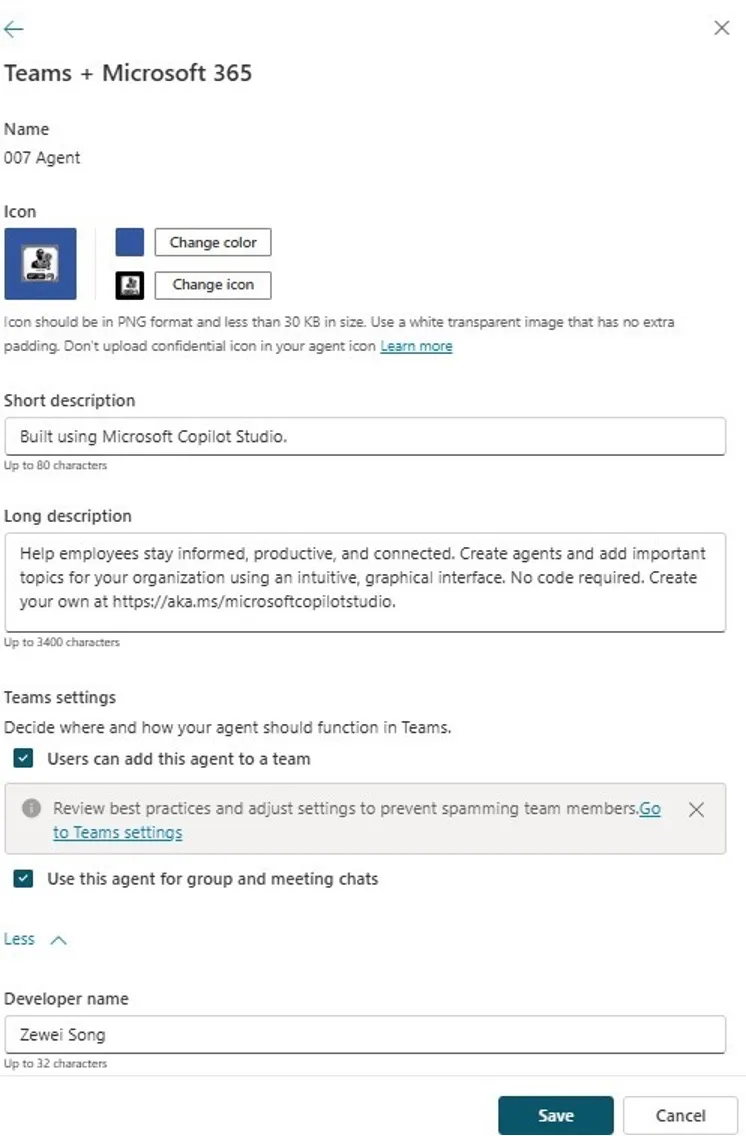
In my case, under the “Teams” option I applied a custom icon and set up its Developer name field.
Under “Available options for Teams”, if you would like to publish the agent to users as a Teams App then enable “Show to everyone in my org” option.
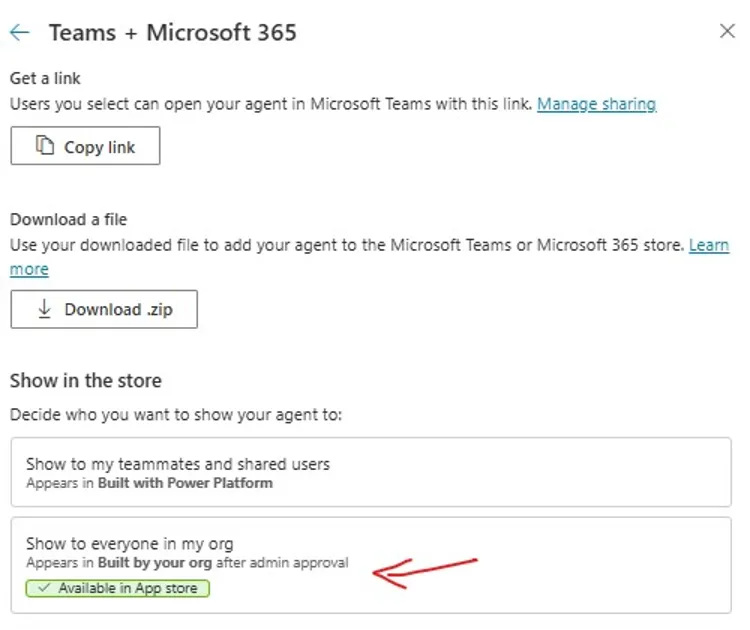
This option will generate a Teams App and send it to Teams app for approval.
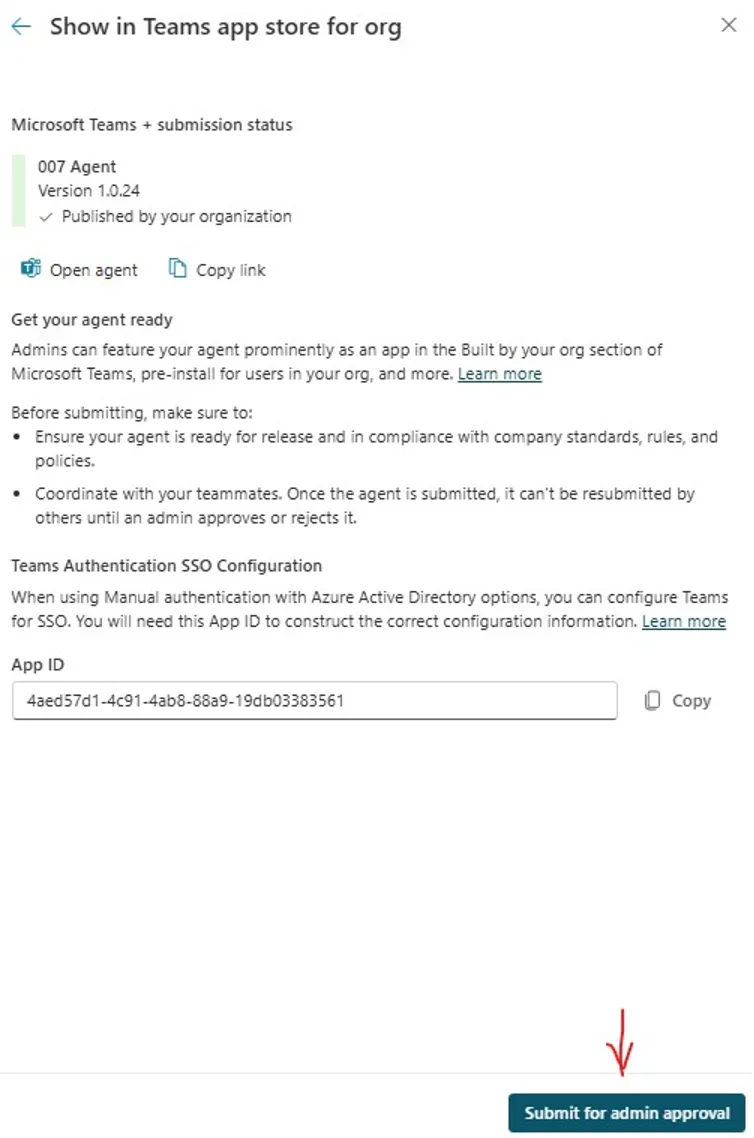
One Teams’ side, admins can see this newly created or updated app in their Teams apps. They can publish or reject the request and set up which users and groups can see the app in their Teams client.
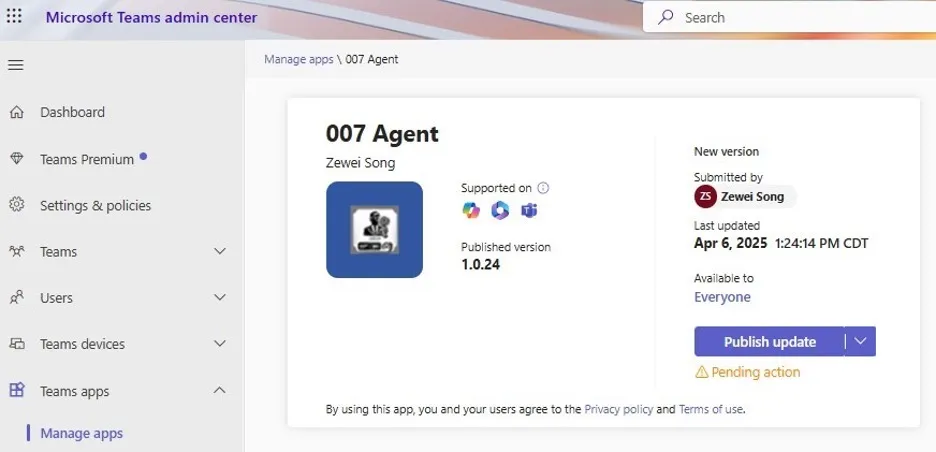
Please refer to this Microsoft Learn article for how to manage Teams apps as a Teams admin here.
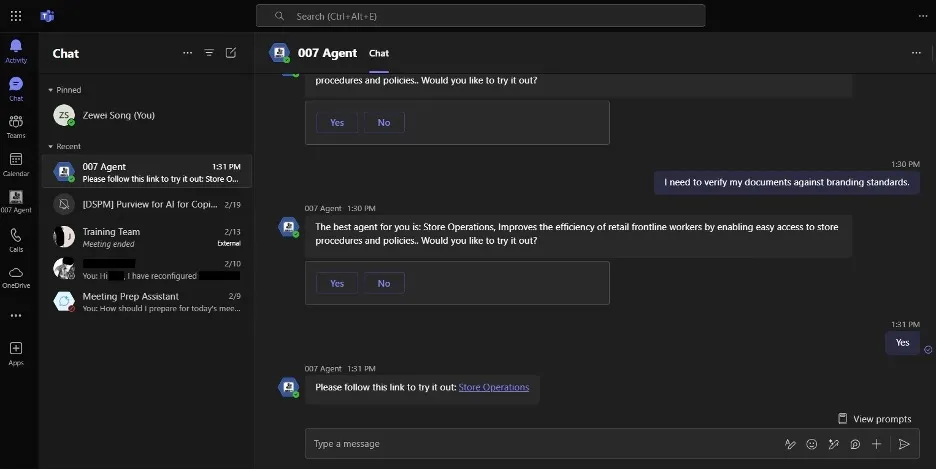
Once published to Teams, the agent will appear as a regular Teams chat bot and end users can utilize it as such.
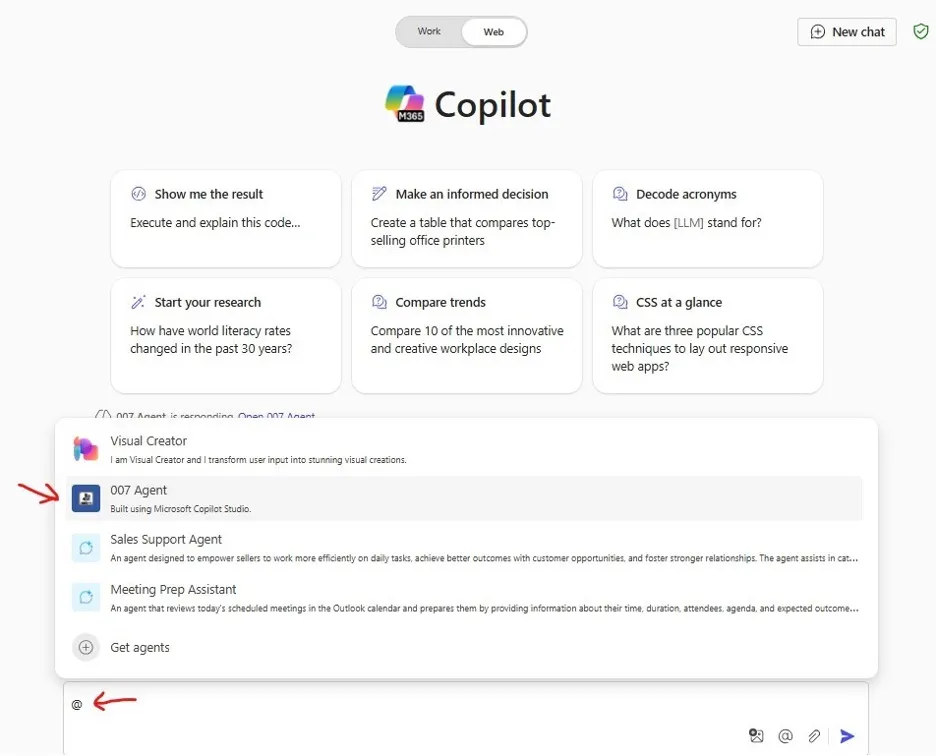
If you choose to make it available to Microsoft 365 Chat, users can direct accessit by “@” mention “007 agent” in their M365 Chat app or web site, as shown below.
That’s all folks, that’s how you can build a “007 agent”, an agent for all other agents using Copilot Studio and publish it to your users.
In the next (also the last article in this series), I will discuss some ideas of how to improve it in the future along with a few other topics like pricing/cost of usage and governance.